



GenStudio
Testing local models needed a studio, not another collection of command lines.
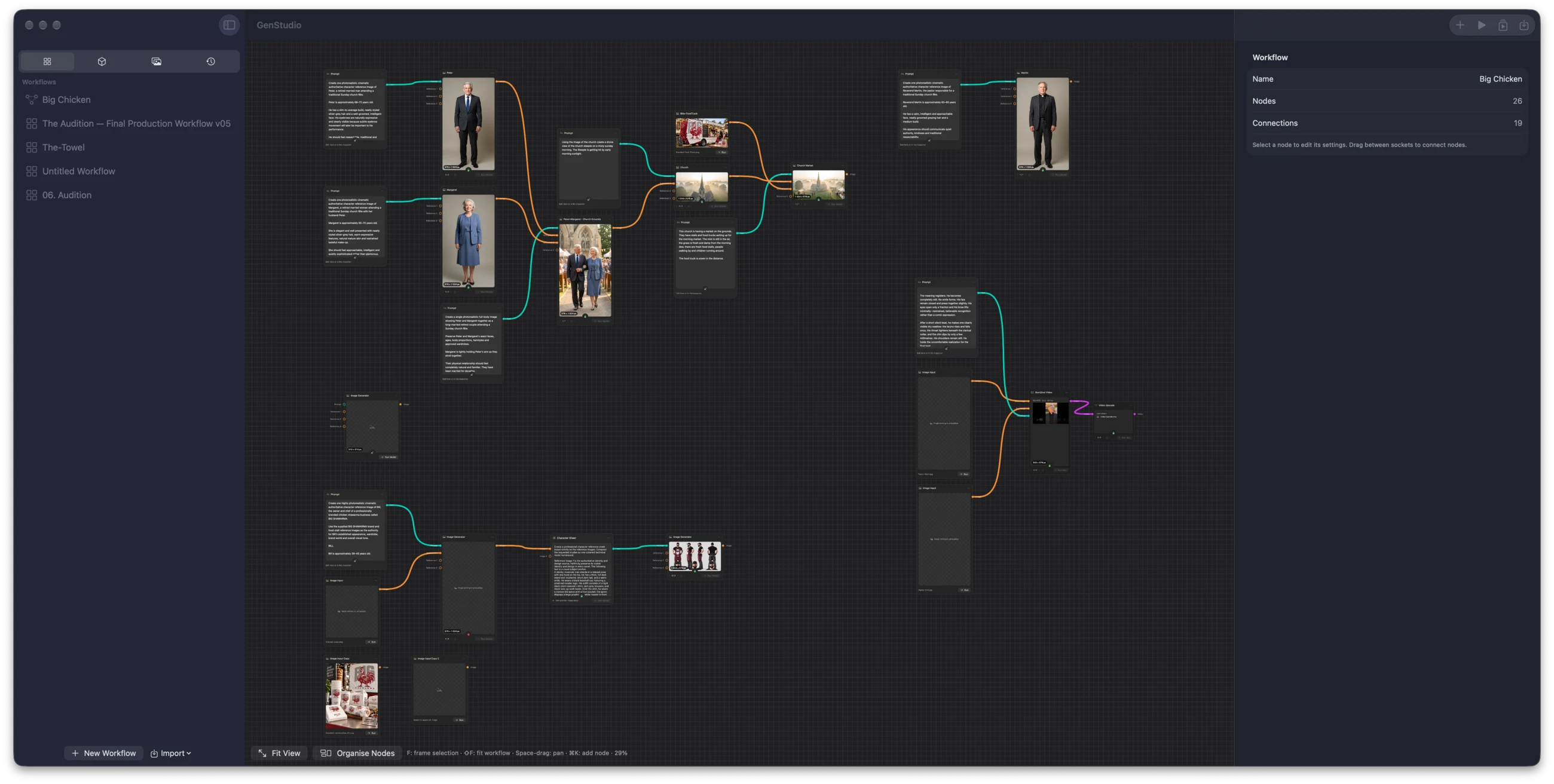
Free, source-first technical preview for Apple Silicon Macs. The app source, tests and documentation are published under the MIT License; model weights, the local-inference runtime and a signed app download are not included.
01 / Why it exists
Generative image and video platforms were becoming expensive, particularly for the repeated experiments creative work depends on. Neil already owned a MacBook Pro with an M1 Max and 64 GB of memory.
He wanted to find out whether creative models could run locally on that machine, reducing ongoing costs and giving him more control over production. The aim was the flexibility of node-based canvases such as Figma Weave, which he used for his brand studies, without depending on a hosted inference service. GenStudio is the result: a native macOS application for composing, running and reviewing local text, image and video workflows.
02 / Evidence in the work
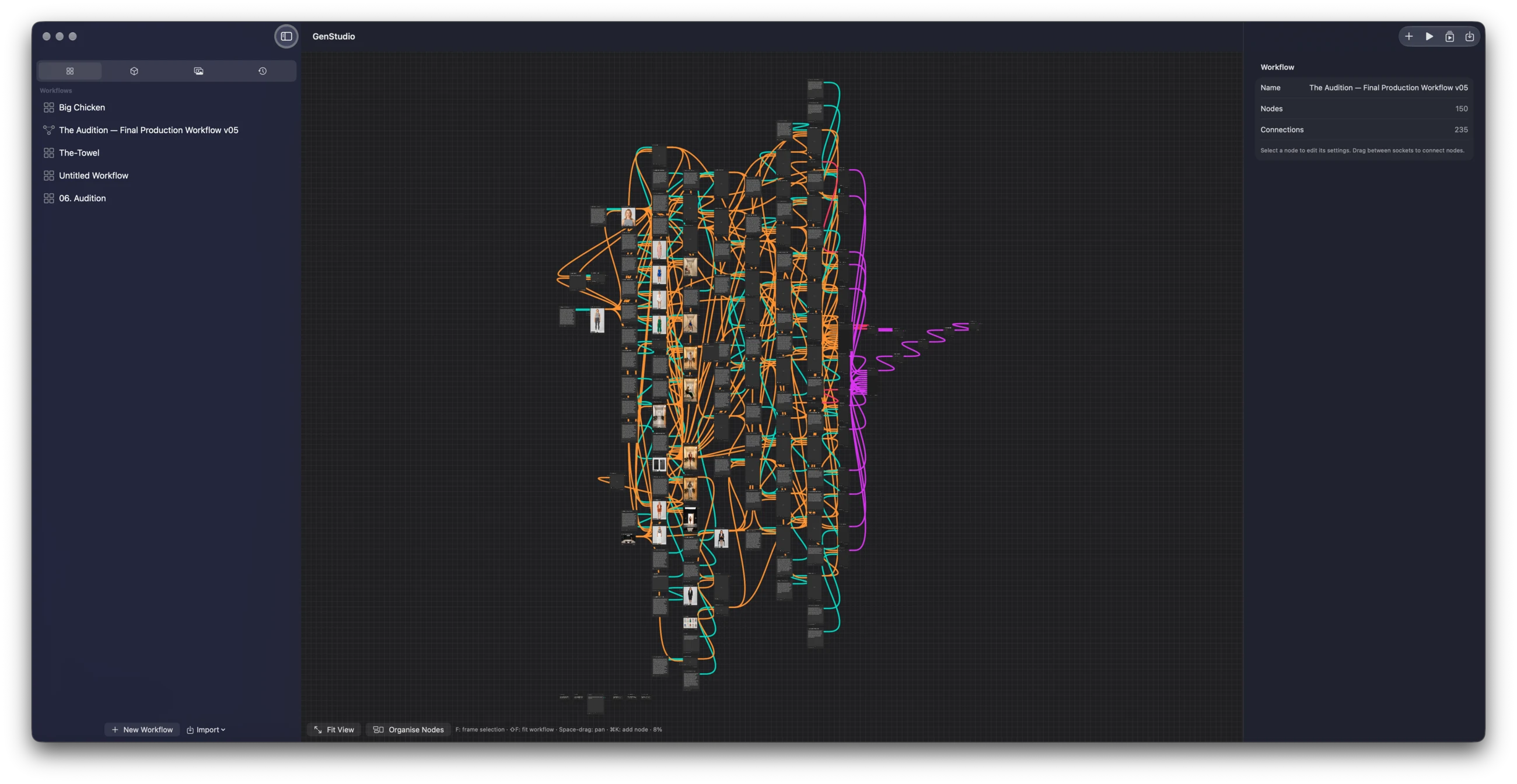
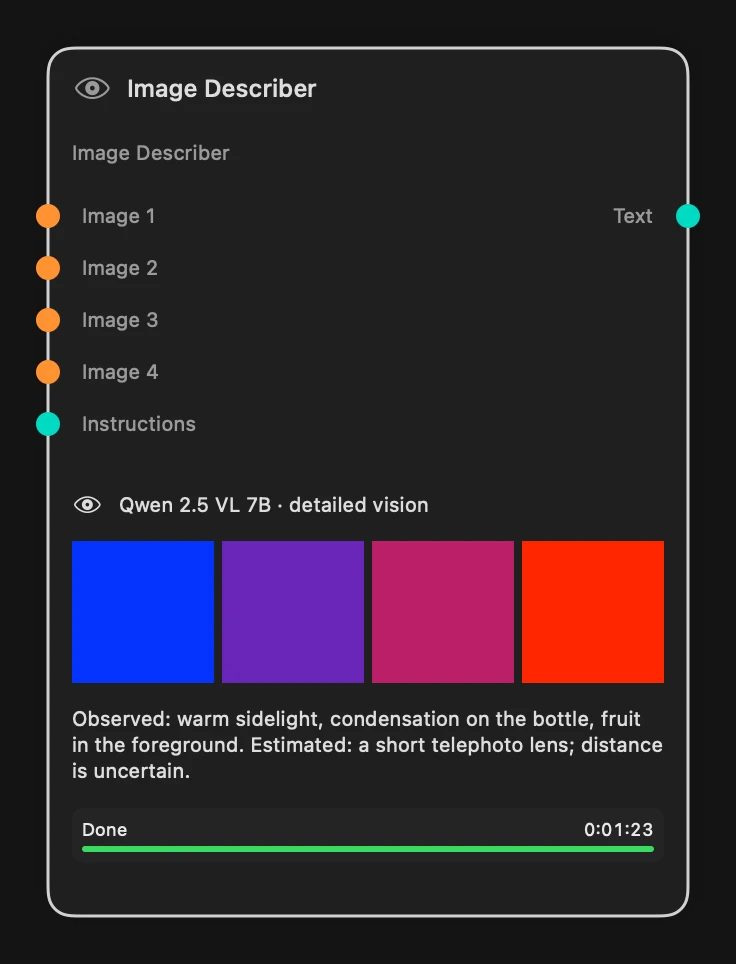
The nodes make the local workflow visible.
Screens and artefacts from the project itself. Each caption explains what it shows.
03 / The product problem
The product problem
Local generation has a different kind of friction. Models use different runtimes, inputs and output shapes. Installation and compatibility are easy to confuse, and a successful result can be hard to trace back to the model, prompt and parameters that created it.
GenStudio gives those decisions a visible structure. Typed ports limit invalid connections. Nodes carry their own configuration. Runs retain outputs and provenance.
04 / What Neil built
What Neil built
GenStudio has 49 node kinds across prompts, local text, vision, image and video generation, deterministic media finishing, model operations and workflow utilities. It includes local model discovery and installation, canvas editing, typed connections, reusable workflows, run history, retained takes and output inspection.
The app owns its execution path rather than relying on another generation application. Network access is used to discover and download models; compatible installed models run on the Mac. The public release is source-first: its model weights and large local-inference runtime remain separate while their redistribution is reviewed.
05 / Designing for the creative decisions inside a flow
Designing for the creative decisions inside a flow
Three nodes turn loose creative direction into something a workflow can use. Image Prompt makes choices such as subject, framing, lighting and look explicit. Video Prompt turns a shot idea into directed action, camera movement, focus, pace and sound. Prompt Enhancer then uses a local model to rewrite a rough instruction for the image, video or voiceover node it feeds, while keeping the original intent intact.
The interface also removes friction that Neil found in other creative-flow tools. Linking is deliberately direct: click an output, click a compatible input, and the connection is made. When a flow grows messy, Organise Nodes tidies a selected branch or the full workflow into readable rows and columns without breaking its connections; the result remains undoable.
06 / Built for real hardware
Built for real hardware
One decision shaped the rest. An installed model is not assumed to work for every task. Each combination of model, engine and task has to be proven before the app offers it, rather than listing everything that might run.
Neil uses GenStudio on that M1 Max, and its limits are set by what the machine can do. Much of the work was research: finding suitable models, testing what the hardware could handle, integrating the parts that worked and evaluating how they performed. The project keeps model-library checks, runtime logs and generated image and video results for the routes it supports.
07 / Keeping the useful decisions
Keeping the useful decisions
A good image, video or prompt can be locked when it is approved. It becomes a named final file that downstream nodes use, rather than a result that can be accidentally regenerated or lost among drafts.
The workflow is also a portable work file, not a temporary canvas. A project folder holds the .genstudio workflow and a Links folder for locked images, video and useful prompts, so the work can be reopened, archived or handed over with the decisions that made it useful.
08 / What this demonstrates
GenStudio shows Neil working below the prompt layer: identifying friction in creative systems, then designing the links, decisions, safeguards and evidence that make a workflow usable on real hardware.
Next step