



Little Window
A check-in should still feel possible on a day when the user has little energy.
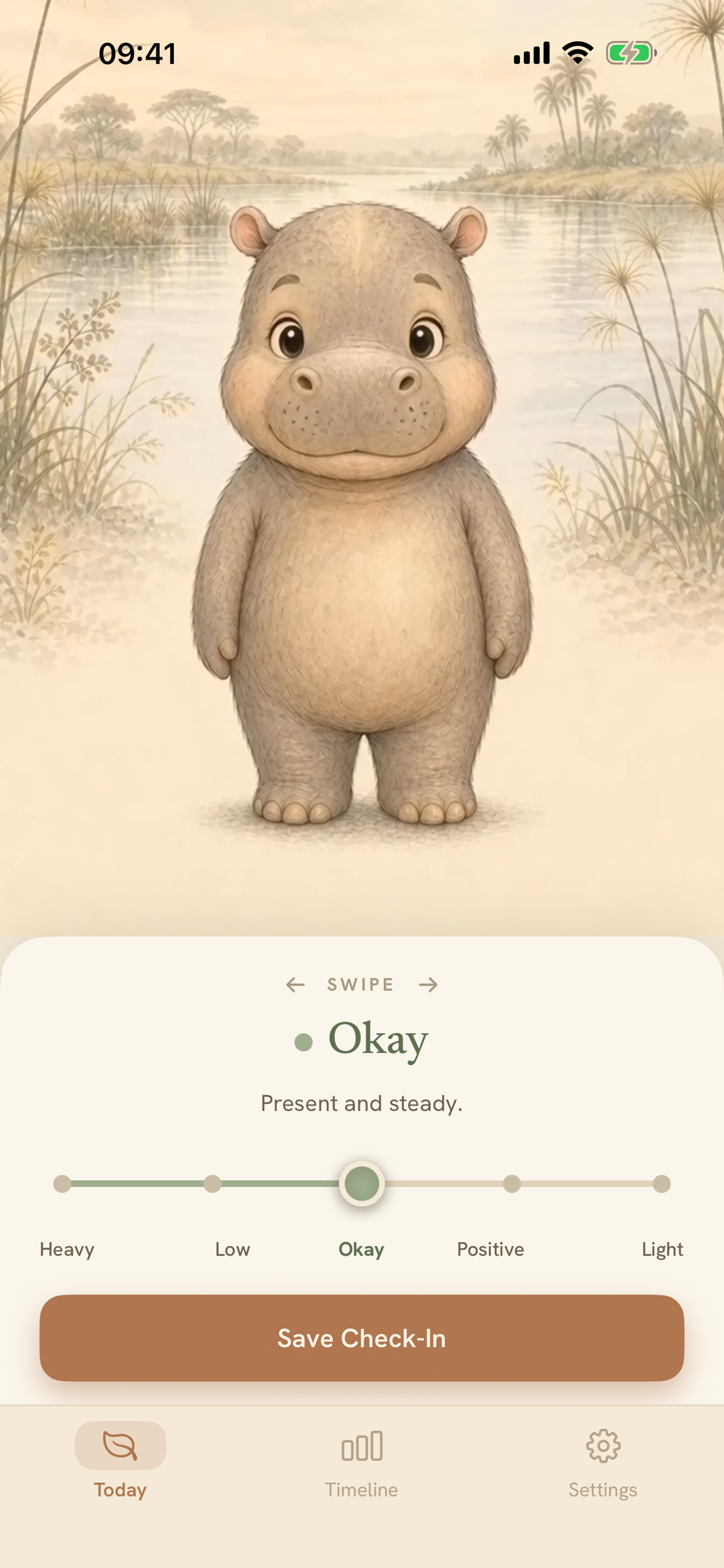 iPhone / Today
 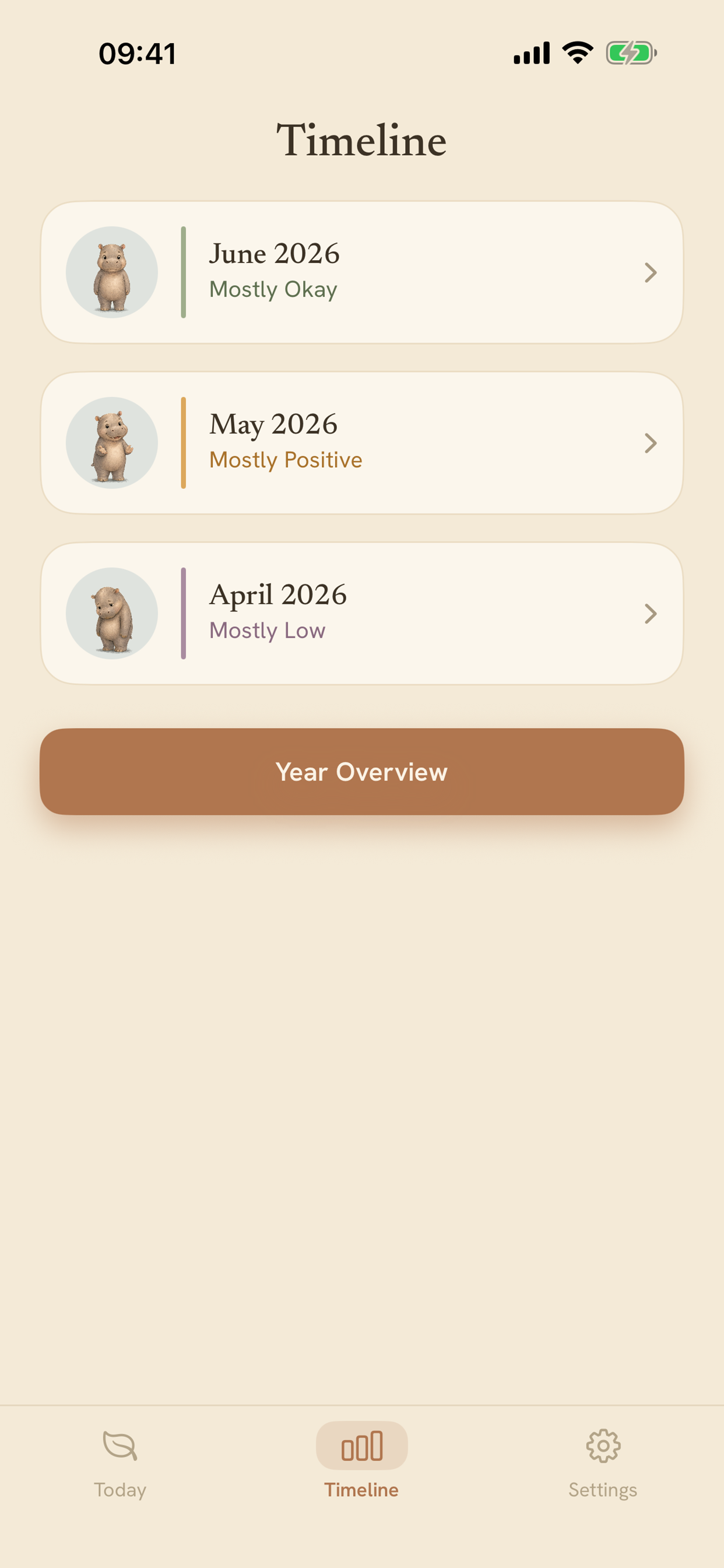 iPhone / Timeline
 Available free on the App Store for iPhone and iPad, with optional in-app tips.
View Little Window on the App Store01 / Why it exists
Most mood trackers ask for more words, more analysis or more streaks. Little Window starts with one question and lets the answer stay small.
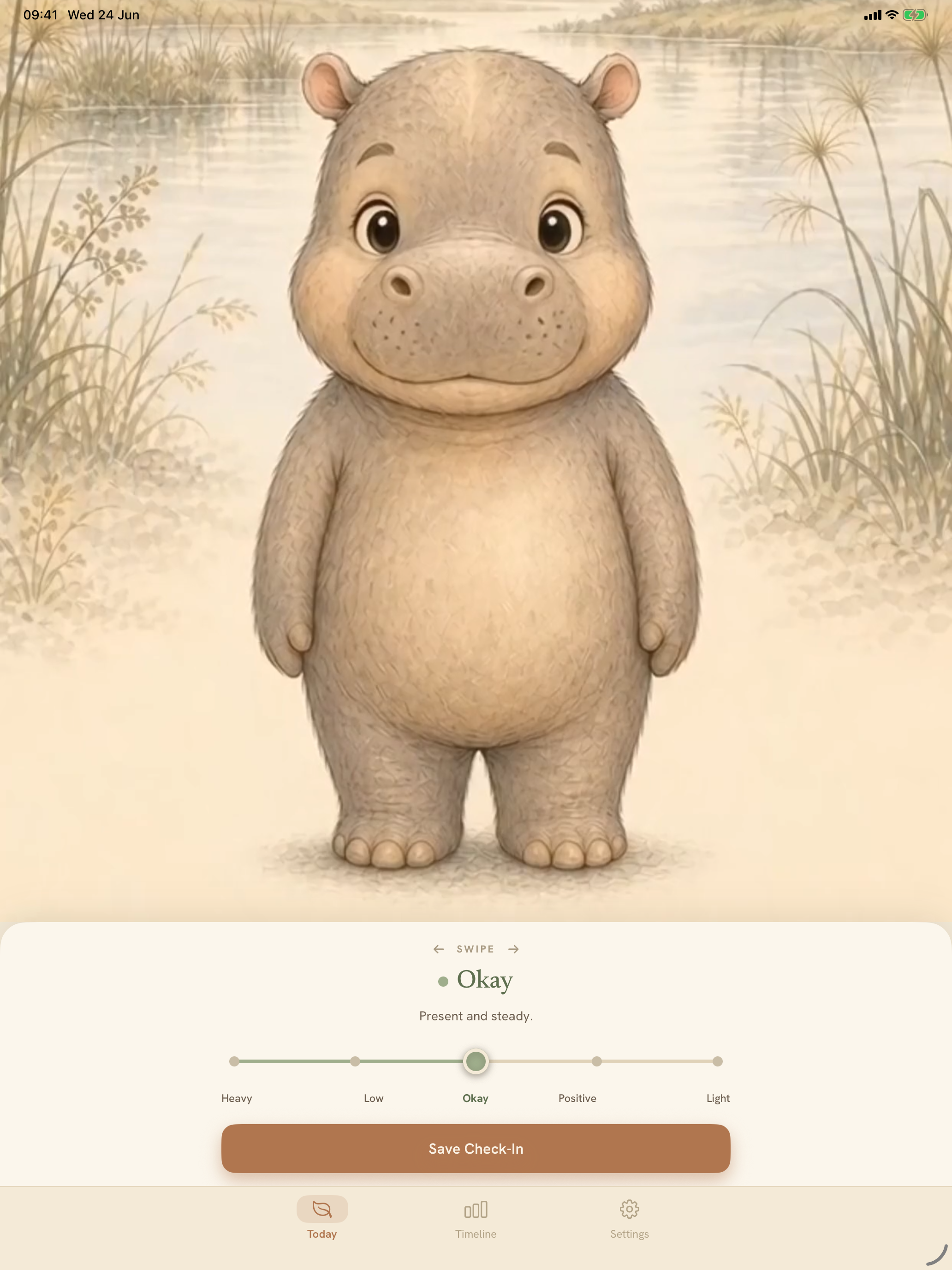
The product is built around five states: Heavy, Low, Okay, Positive and Light. One slider selects the state, and an animal companion mirrors it in the same habitat.
It is a creative product first: an idea for a gentler check-in, carried through character design, interaction and a finished app.
02 / Evidence in the work
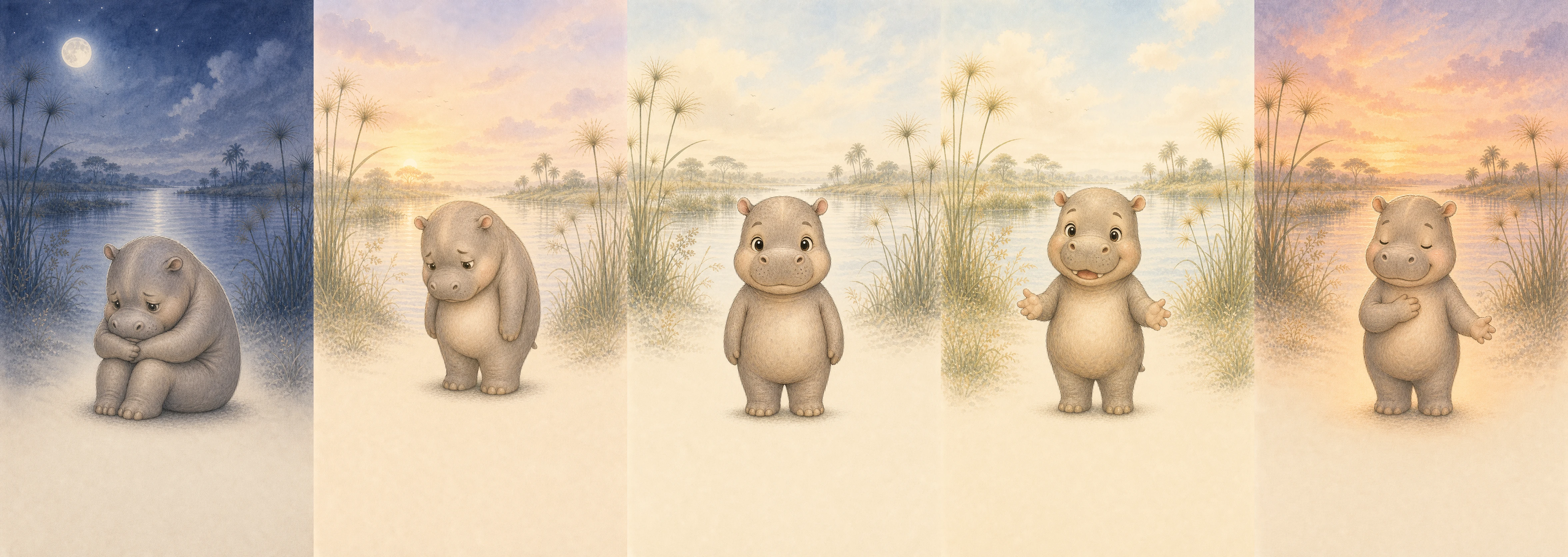
One check-in, carried through five states.
Screens and artefacts from the project itself. Each caption explains what it shows.
03 / Keeping the product quiet
Keeping the product quiet
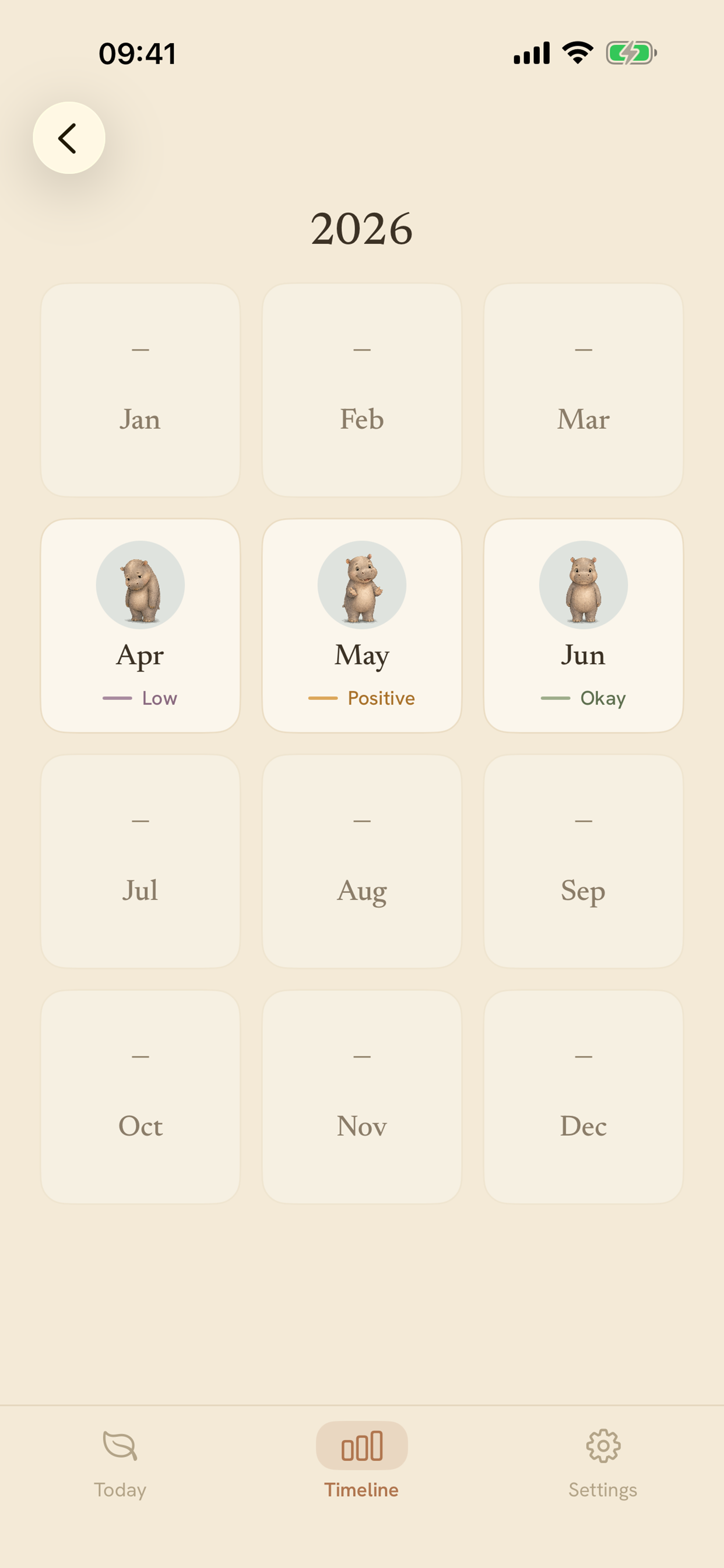
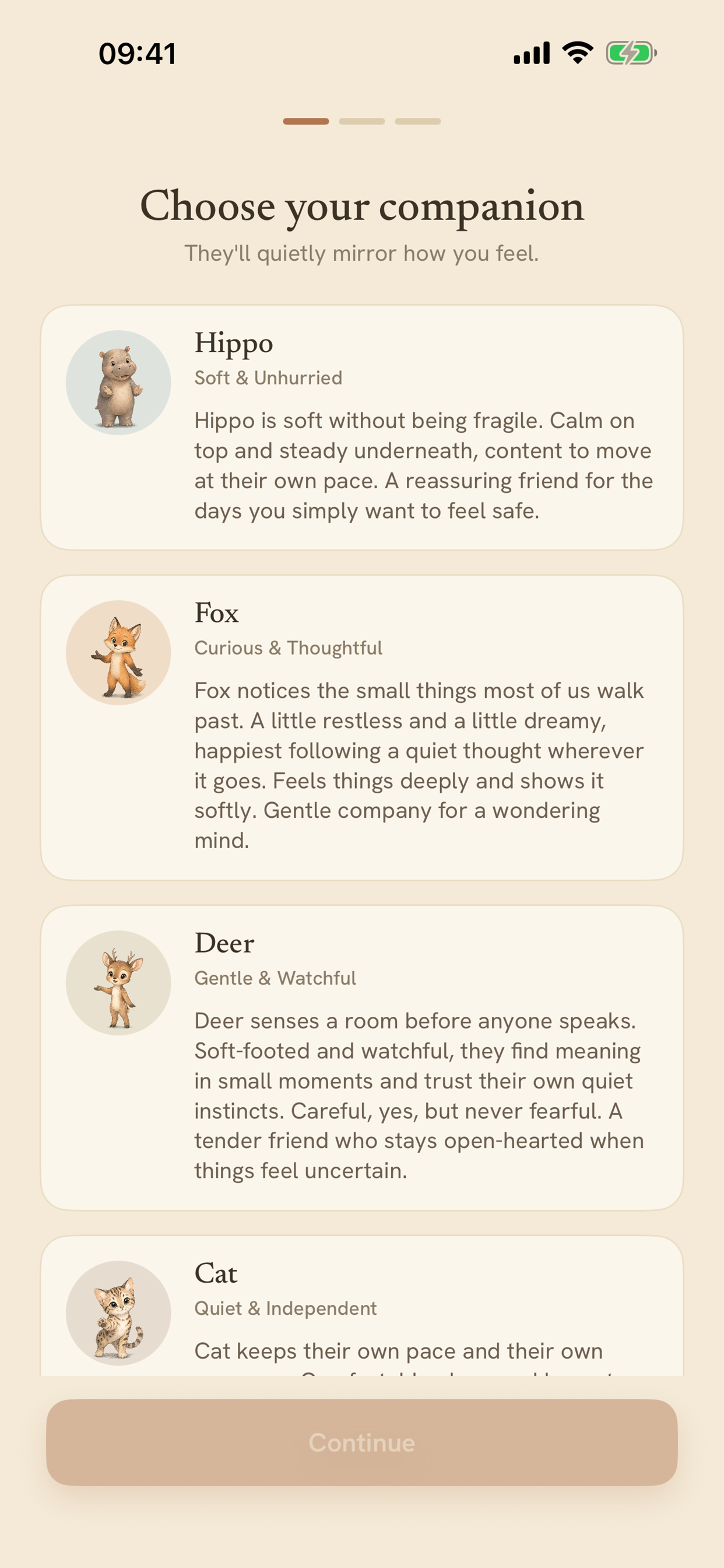
The product avoids therapy language, advice, scores, streaks and gamification. The Today screen keeps the question and Save action together; the Timeline and Year Overview let someone revisit entries without telling them what a pattern means.
The selected companion changes through one continuous visual performance. Moving between states changes light, atmosphere and expression while keeping the character and habitat coherent.
04 / Making consistency repeatable
Making consistency repeatable
Much of the work was character design. Sixteen different companions had to belong to one visual world, with each animal moving coherently through five emotional states.
The documented workflow starts with one researched habitat stage and one Okay frame as the placement anchor. Heavy, Low, Positive and Light reuse the same stage, camera distance, centre axis, baseline, paper texture and character references. An acceptance checklist rejects changes in markings, scale, background composition, ground plane or art style instead of accepting five attractive but unrelated pictures.
Those five anchor frames become one 20-second animation, ordered Heavy to Low to Okay to Positive to Light. The transitions stay calm, limited to breathing, blinking, small pose changes and shifts in light. A fixed transcode and still-fallback pipeline then prepares each master for the app.
05 / The build
The build
The product scope covered the interaction, visual system, prompt-led art and motion pipeline and native implementation. The iPhone and iPad app stores raw entries in SwiftData, derives summaries from those entries and offers optional private CloudKit sync.
A home-screen widget reflects today’s state. Reminders are opt-in and local. Sixteen companions share one asset system covering character references, researched habitats, five emotional states, video masters, app-sized transcodes and still fallbacks taken from the video timeline.
Neil took the product all the way to release. Little Window is available free on the App Store, with optional in-app tips.
06 / What this demonstrates
Little Window carries a sensitive product idea through character design, interaction, visual consistency, a repeatable animation pipeline, privacy, accessibility, native implementation and release without letting complexity take over the experience.
Next step