



PSsst
Some posts cannot be scheduled. They still have to be remembered.
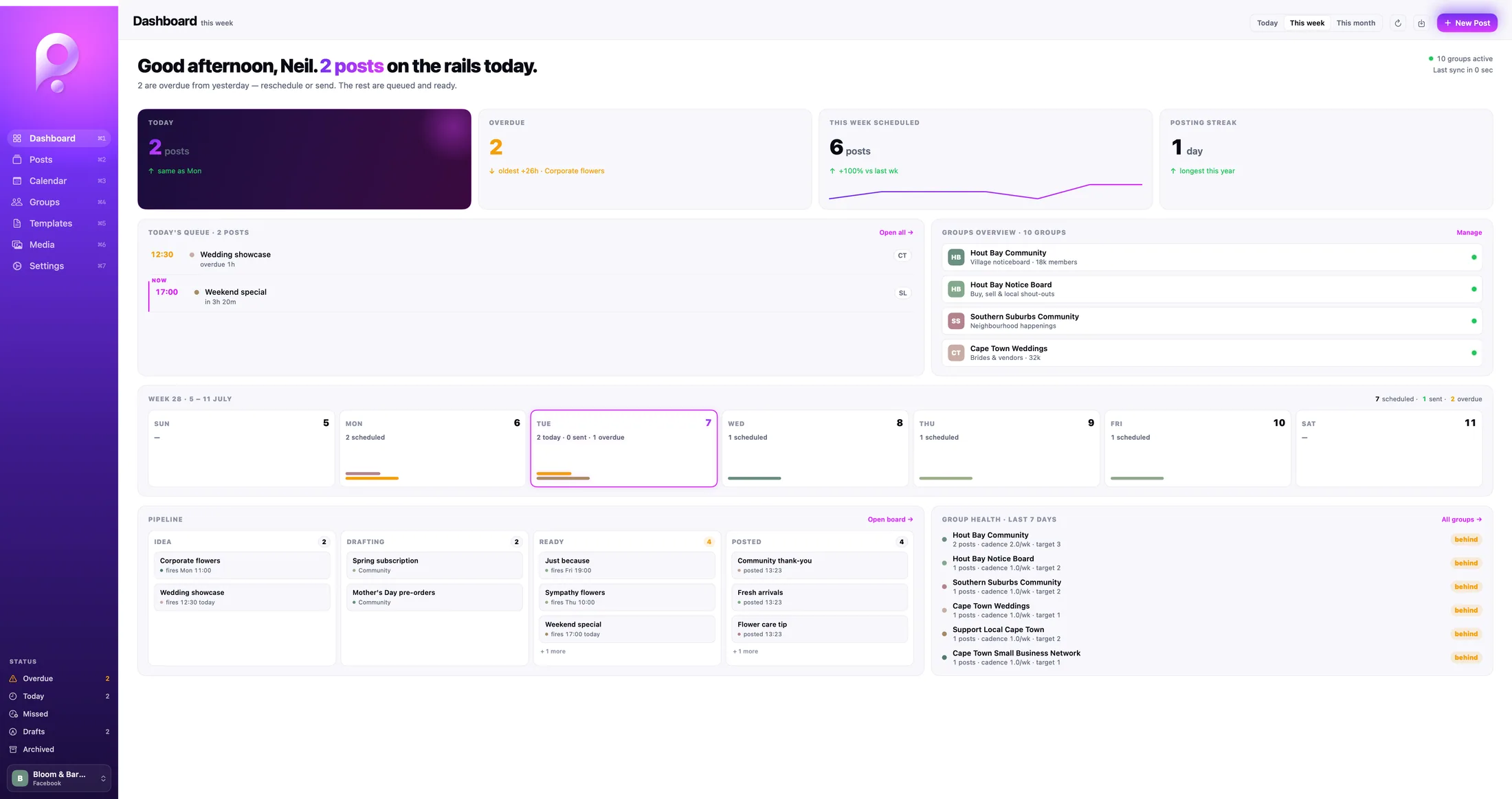
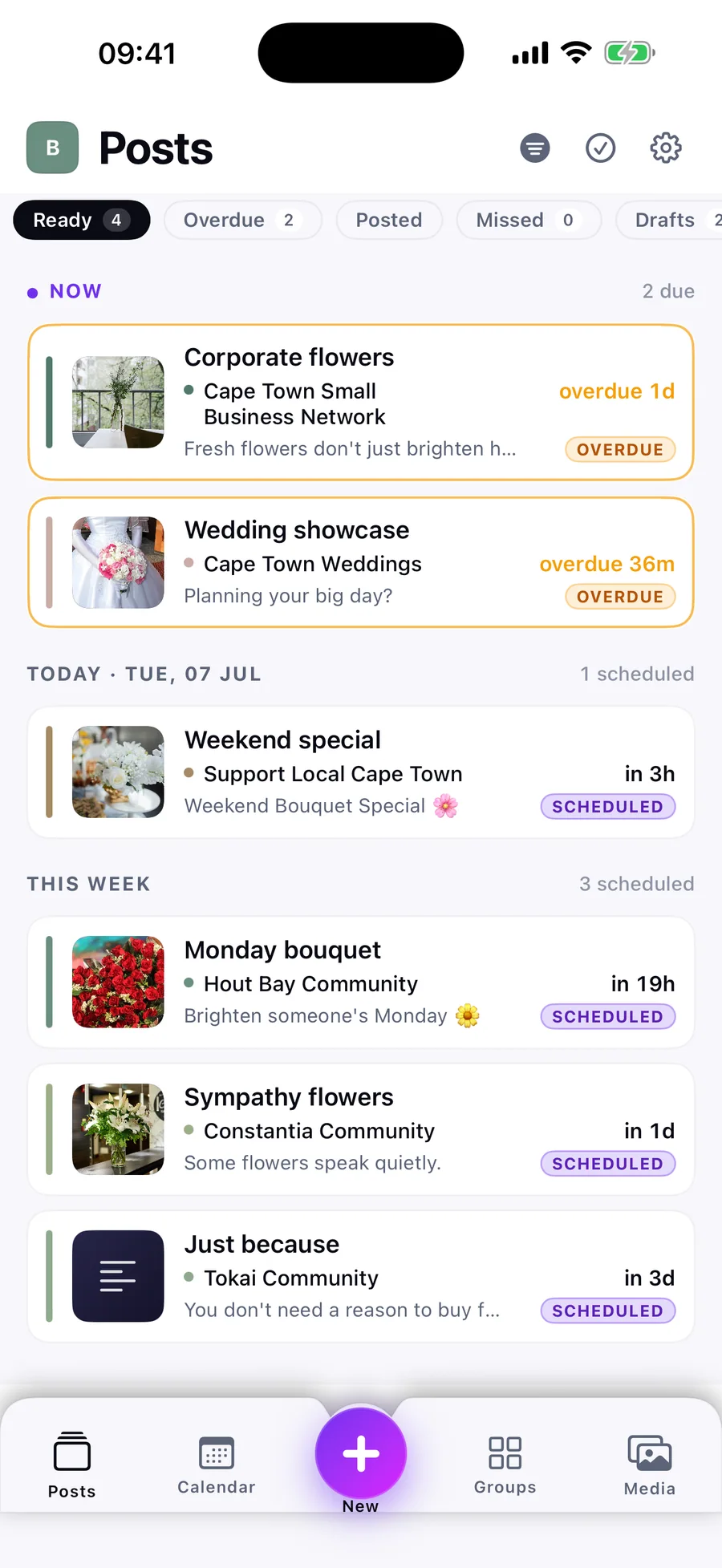
I needed a better way to organise and keep track of my Facebook Group posts. Existing scheduling tools couldn’t solve the problem, so I built PSsst to handle the planning, reminders and posting history myself.
01 / Why it exists
PSsst started with a problem Neil had himself. He was promoting his own business through several Facebook Groups from his personal profile, and every post had to be made by hand.
Facebook’s own scheduling is for Group admins and moderators, and third-party tools cannot simply publish to Groups a person has only joined. The scheduling platforms Neil tried could not handle that workflow. He was left remembering where, when and what to post, and whether each post had actually gone out.
Rather than keep forcing the routine into the wrong tool, he designed and built his own Apple app. PSsst handles the remembering and leaves the posting to the person.
02 / Evidence in the work
From preparation to the human posting step.
Screens and artefacts from the project itself. Each caption explains what it shows.
03 / Designing around the manual step
Designing around the manual step
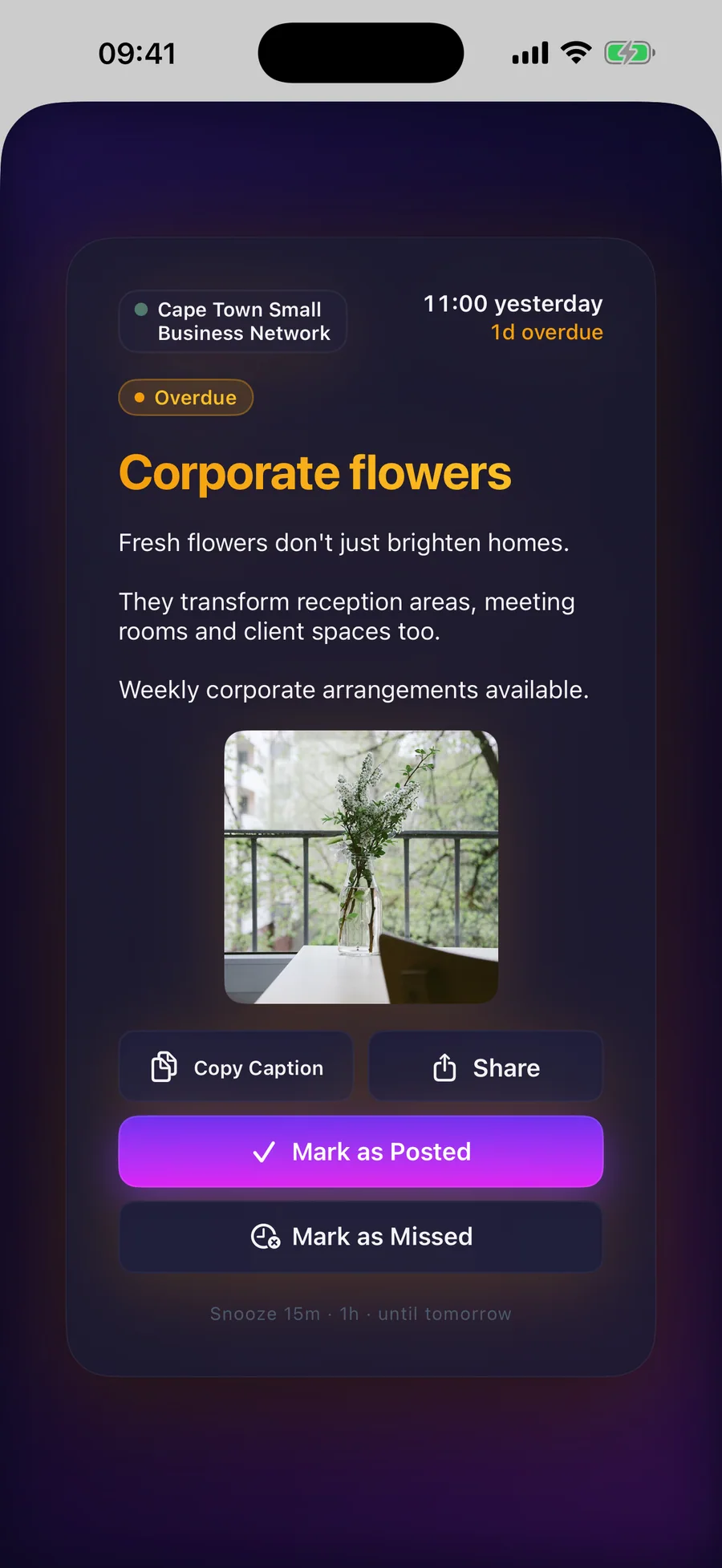
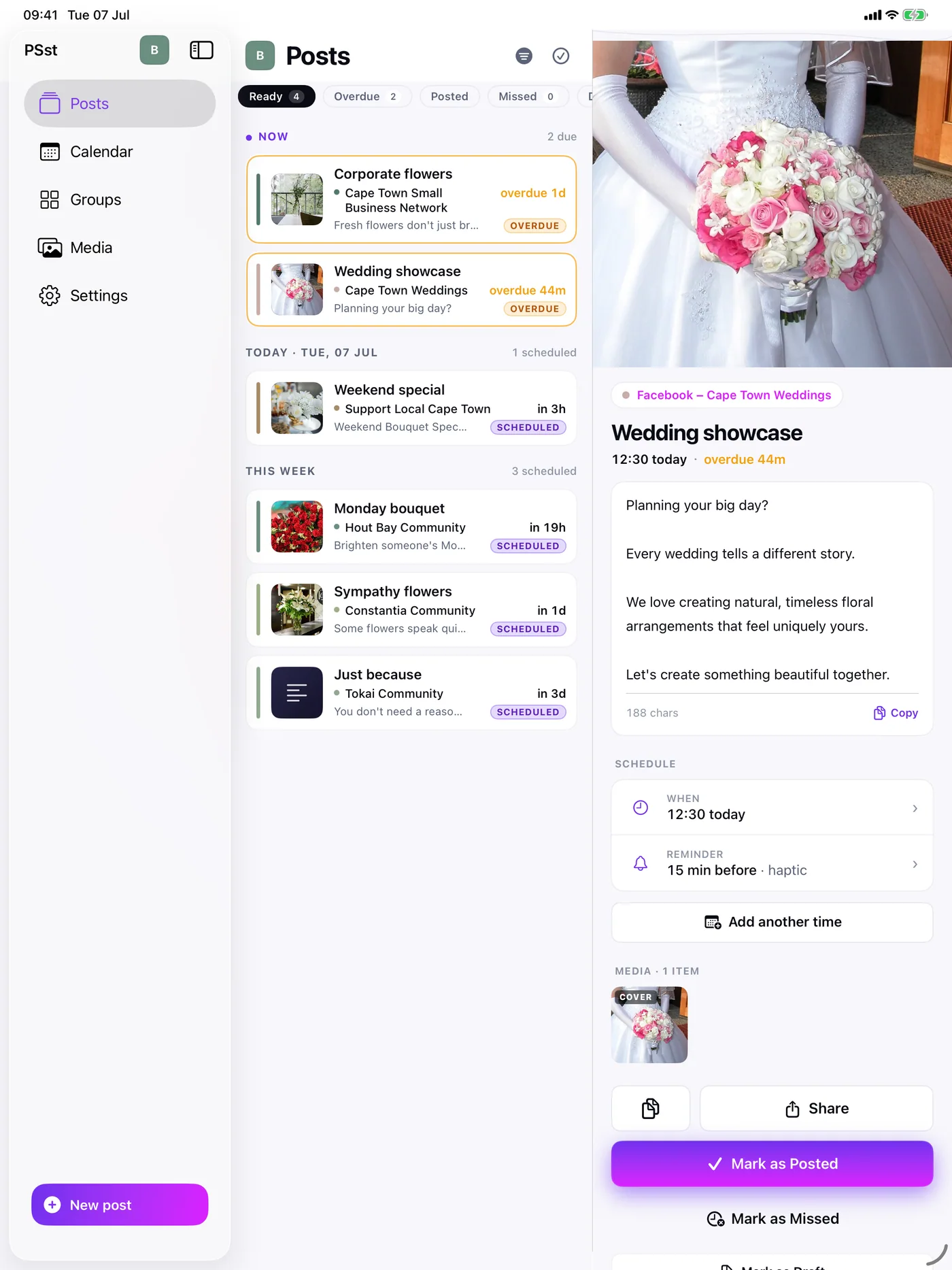
The workflow has four steps, and only the last one repeats. Set up destinations and reusable captions once. Schedule posts on the calendar, once or weekly. Receive a reminder shortly before each one is due. Then open it, copy the caption, share the media, post it in the relevant app and mark it as posted.
That final step is deliberate. PSsst does not try to get around the platform or post on anyone’s behalf. The person stays in control of what goes live, and the app records each occurrence as posted or missed, so a weekly post builds a history rather than a single tick box.
The scope stayed on that fragile manual routine and the mental load around it. A full social-media management suite would have solved a different problem.
04 / Organising the work
Organising the work
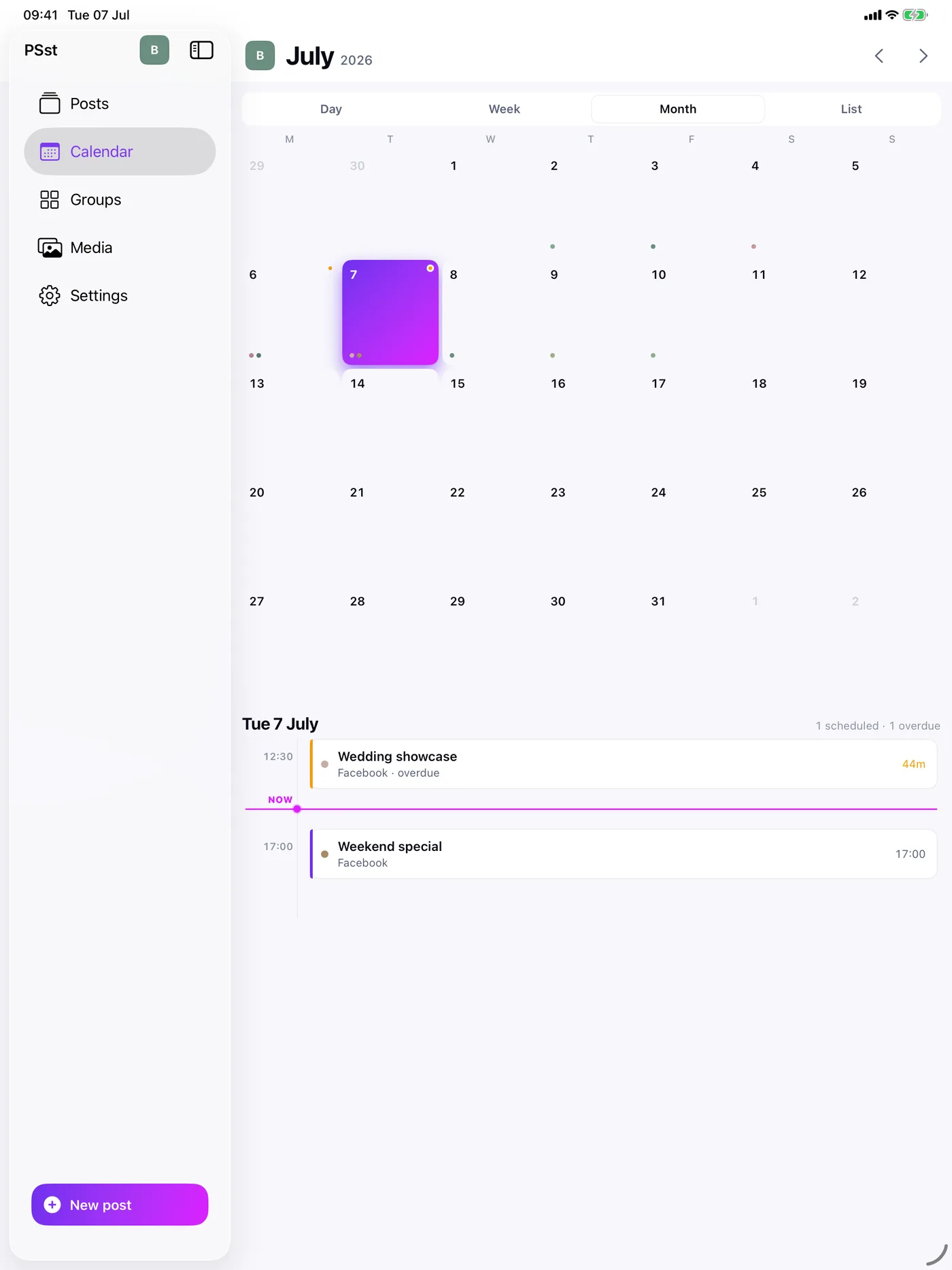
A group is any place the person posts, such as a Facebook Group, a page or another account. Each has its own colour, so a busy calendar stays readable. A group can carry the days on which it accepts posts and a cadence target that shows whether posting is keeping up. Workspaces keep separate brands or clients apart, each with its own posts, groups, schedules and media.
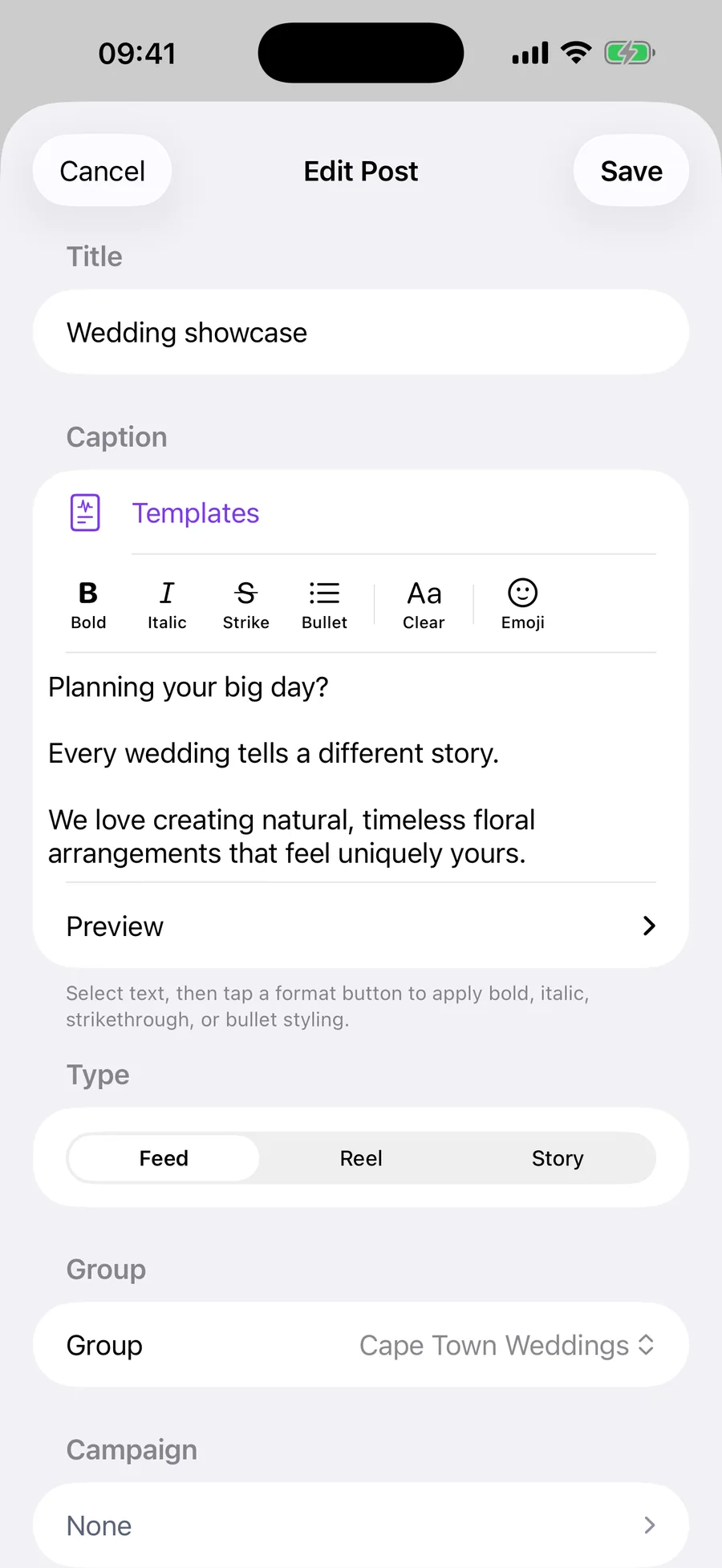
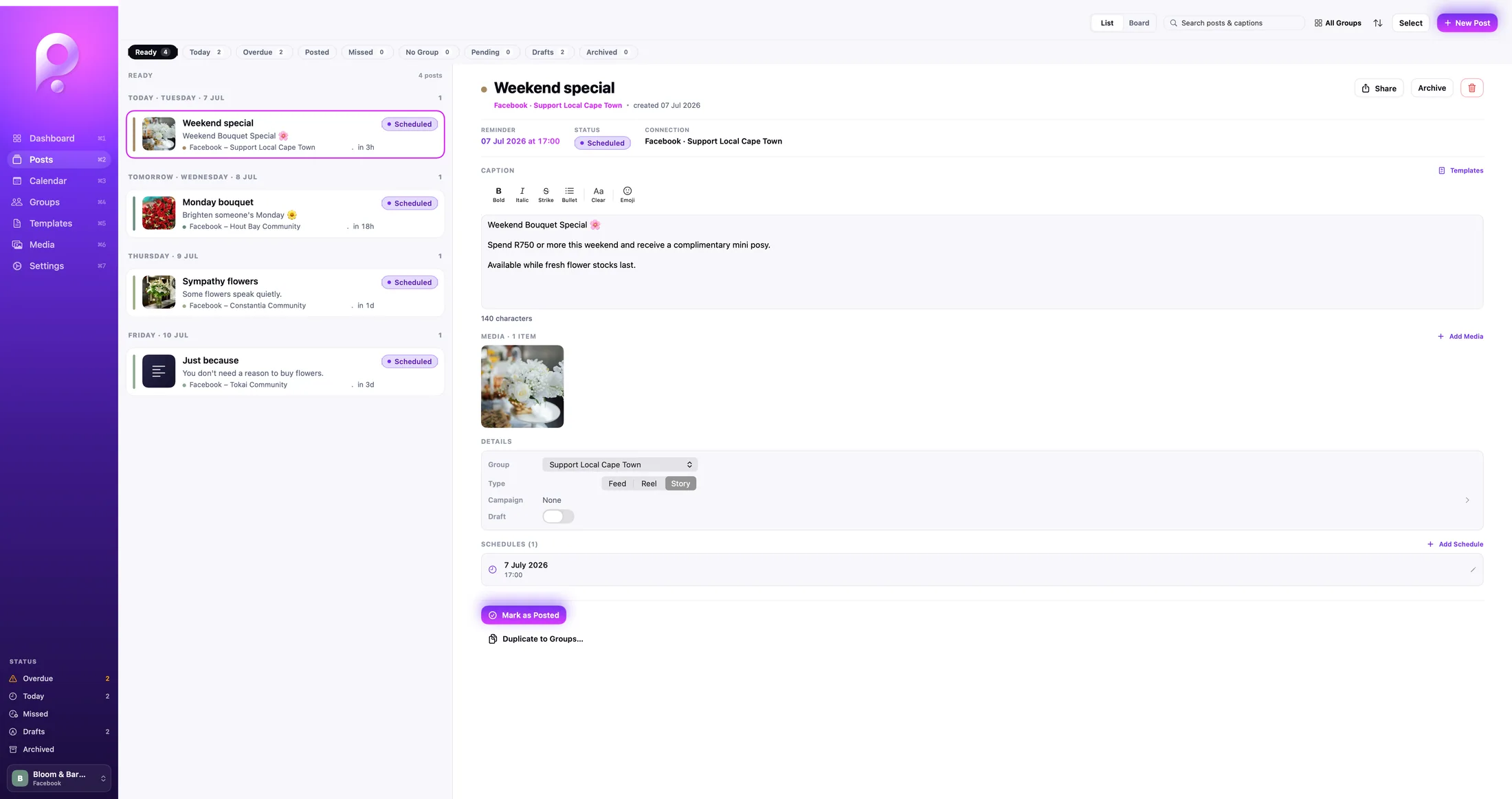
A post carries a private title for finding it, the caption people will read, its format and up to ten photos or videos. Wording that comes up again and again, such as introductions, calls to action and hashtag sets, can be saved as templates. A media library keeps images ready to reuse, and its editor changes only the crop and orientation. Campaigns group related posts, and a month of posts can be planned in a spreadsheet and imported as CSV.
05 / One app on three devices
One app on three devices
Neil defined the workflow and the interface, then directed the native build for iPhone, iPad and Mac. On iPhone, the queue and the reminder keep the next action close at hand. iPad uses a sidebar and split view. Mac adds a dashboard showing how each group is keeping up, a wider Posts workspace and drag-to-schedule on the calendar. Widgets show upcoming, due and overdue posts and open the relevant reminder, list or calendar.
Real use shaped the details. Recurring posts and notifications produced edge cases that a simple reminder list would hide, so each occurrence is recorded on its own and a snoozed reminder keeps its new time. Reminders arrive a little before a post is due and respect Focus modes.
PSsst has no account and no server of its own. Posts and media stay on the device, with optional sync through the person’s own iCloud, while backup, restore and CSV export provide separate ways to move or recover work. AI supported the development, but it is not a feature of the product.
06 / What this demonstrates
PSsst shows practical product judgement: accepting a platform boundary, designing around the step a person must own and carrying the result across three Apple form factors.
Next step